Logix · For Bookkeeping Practices
The Bookkeeper System is the AI-powered workspace for bookkeeping practices: the day, the close, and the clients in one system — plus a Solutions Desk that turns the clients you already serve into a second revenue stream.

Everything on this page is shown on Logix Bookkeeping, the demonstration practice we built for exactly this — a complete bookkeeping firm with a fictional owner, Jordan Ellis, so the whole system can be shown openly. Sample items are labeled sample, here and in the product.
The Difference
Imagine the routine work of the practice coming off your plate — the chasing, the checking, the drafting — so your hours go to the books and the clients.
Platform
Sixteen tools, one sign-in, one record per client. Chips are honest: Live means built and running today; In Preview means built and shown with sample data, not yet switched on.
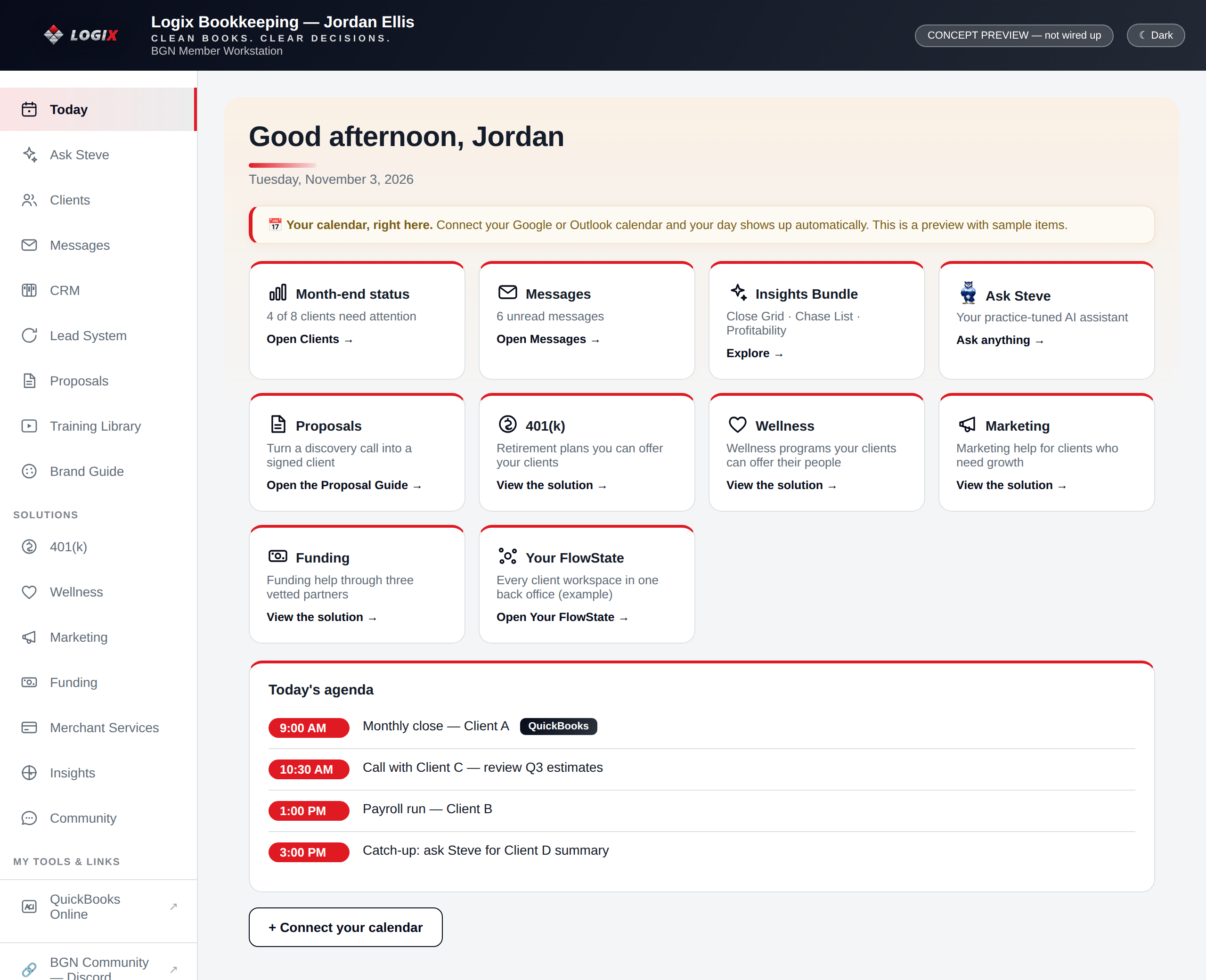
Your home screen: month-end status, unread messages, your calendar and today's agenda, and a door into everything below.
An assistant tuned to your practice alone. It reads your client vaults, notes, and transcripts — ask which clients have not finished the close, and it answers from the record.
Your whole book of business. Each client opens into their overview, close checklist, reports, contact record, books, folder, and portal.
Every transcript, note, and decision for a client, kept with the client — so what you know about them never walks out the door.
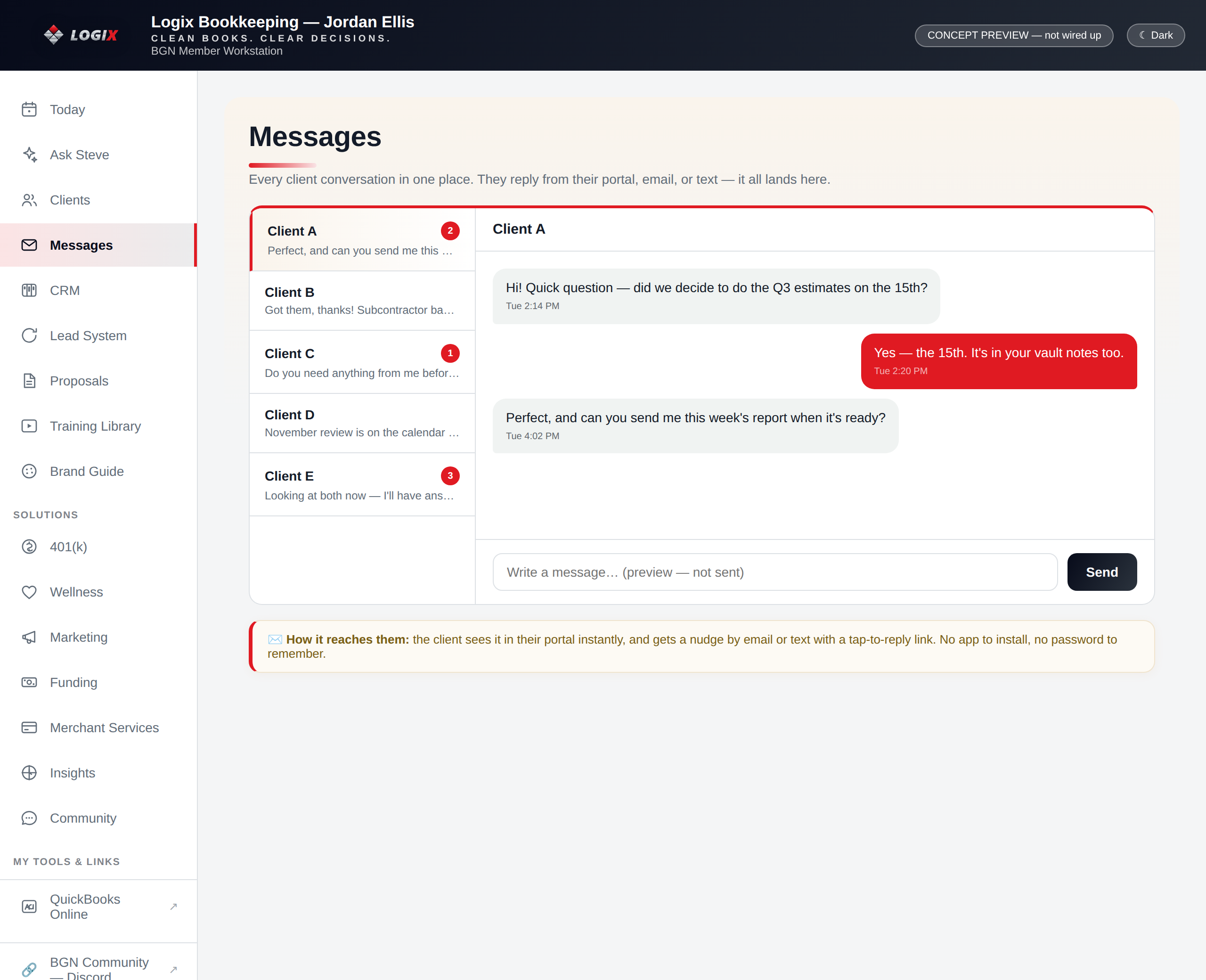
One inbox. Clients reply from their portal, by email, or by text — it all lands in one thread per client.
Leads, clients, pipelines, and follow-up automations in your own branded workspace — the record everything else reads from.
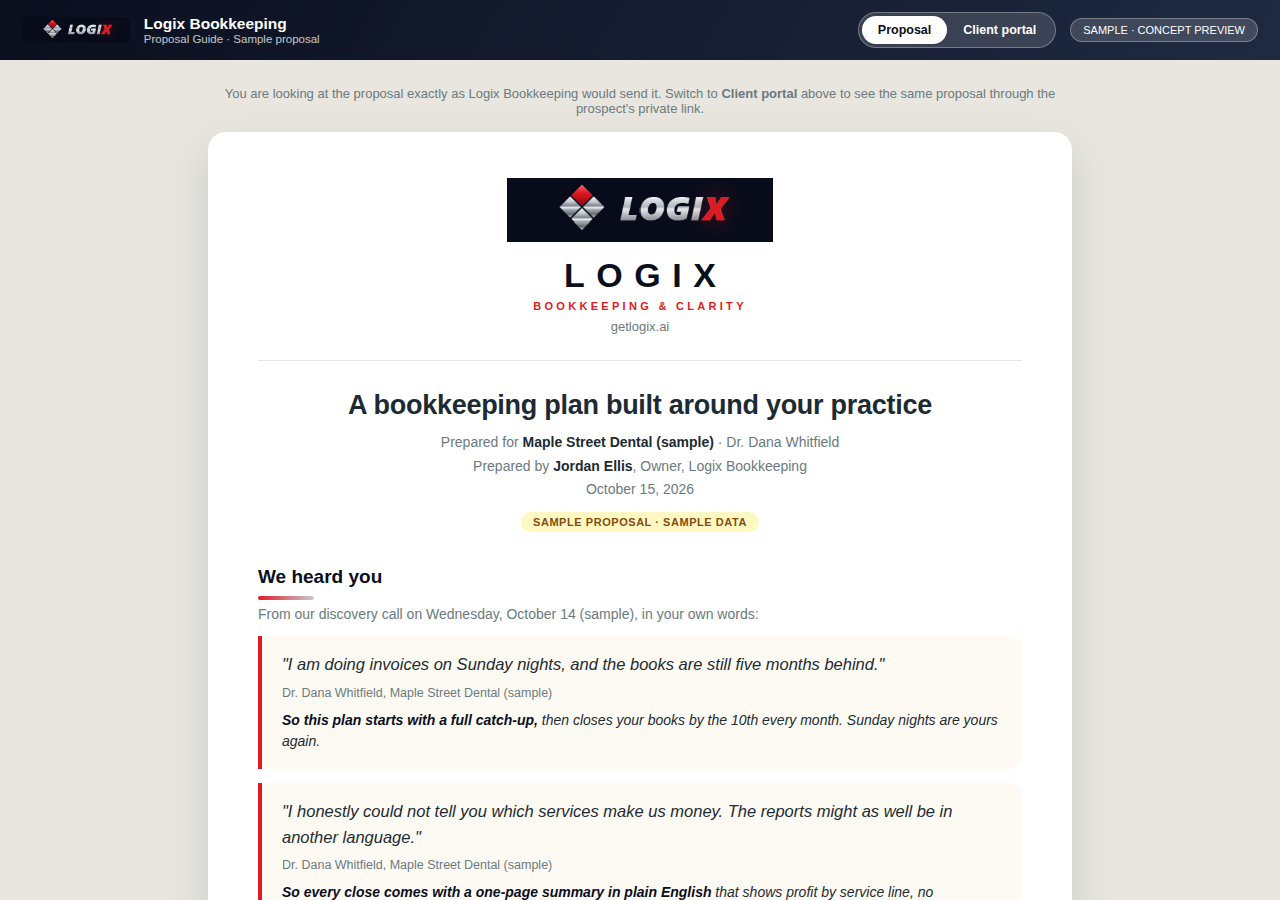
Record the discovery call or upload it. Out comes a checked questionnaire, a branded proposal on a private link, and the client portal — you review before anything sends.
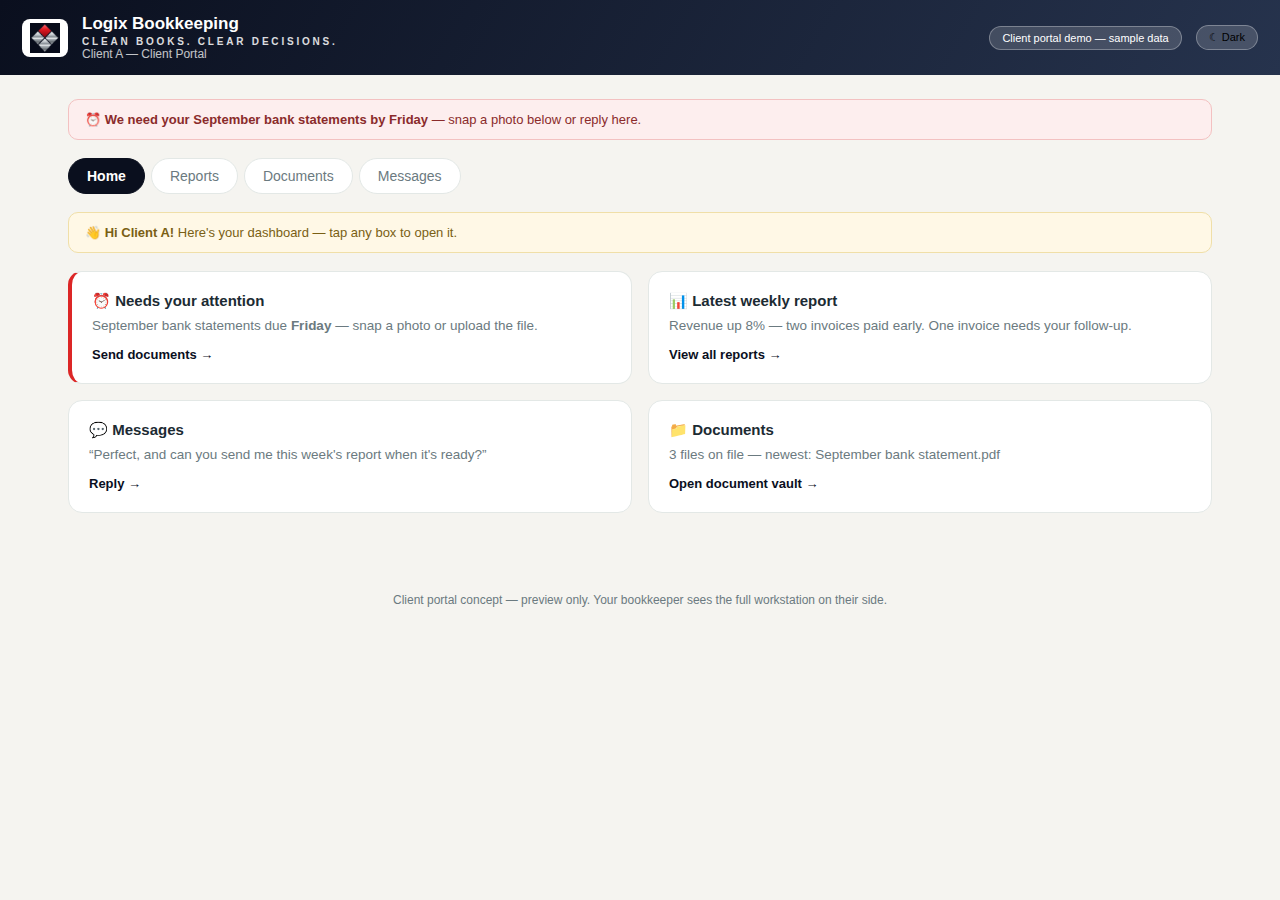
One no-password link per client: what needs attention, snap-and-send documents, the latest report, and messages.
The Close Grid, the Document Chase List, and Client Profitability — the three views that tell you where the month stands and which clients make you money.
The full walkthrough and a weekly one-topic curriculum, inside the hub — the practice learns the system while it uses it.
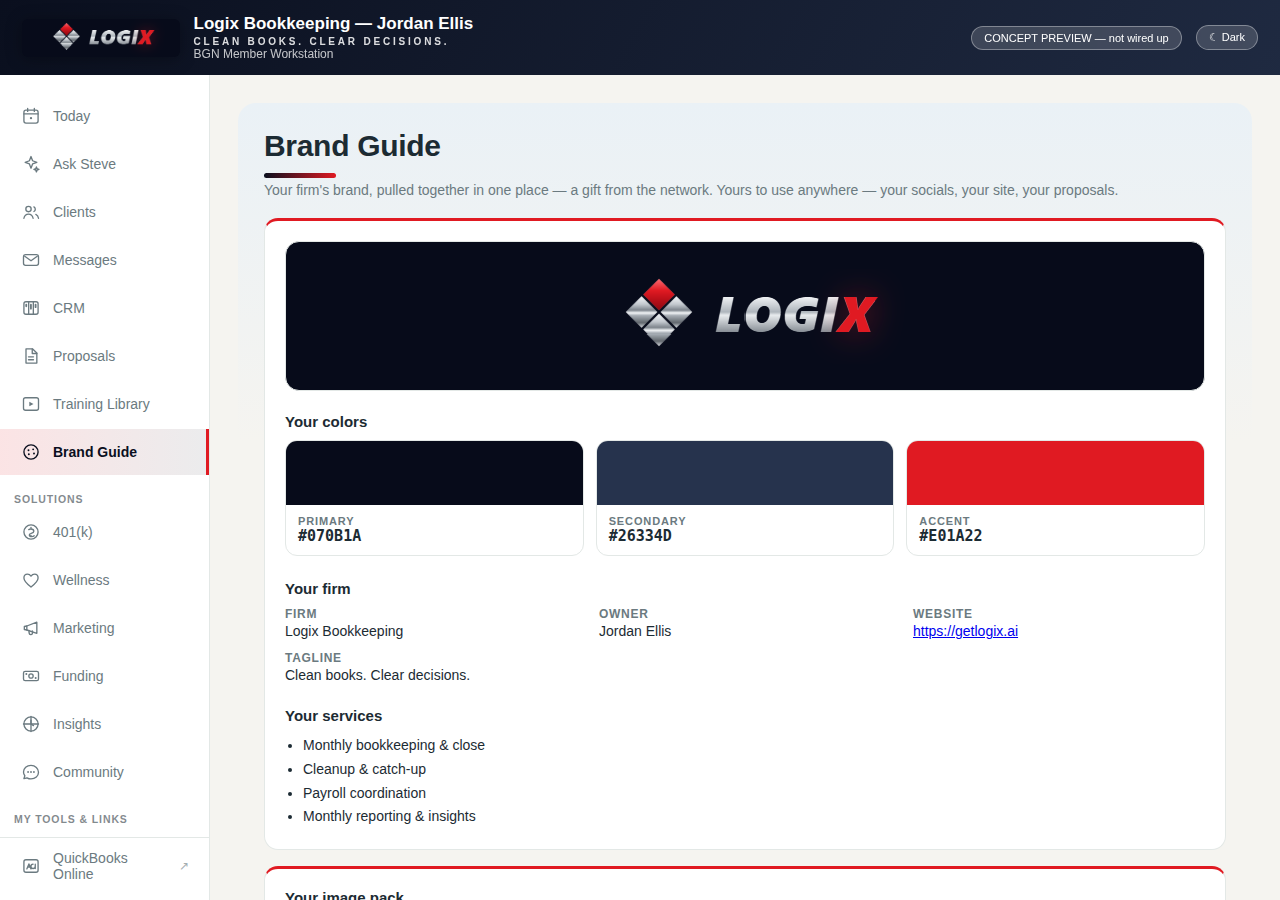
Your logo, colors, image pack, and services in one place — the single source that dresses your site, proposals, portal, and posts.
401(k), wellness, marketing, funding, and merchant services you can offer your own clients — the revenue half of this page, below.
Businesses matched to bookkeepers by a fair rotation, delivered into your own CRM — the co-op described below.
QuickBooks Online and the rest of your tools, one tap from the hub. Sign-ins stay with the tools; the hub never stores them.
A full practice website in your brand — services, about, a working blog — with booking wired to your CRM and your assistant answering on the page.
A virtual business card that captures leads into your CRM, and your own business phone number — calls and texts on the record, not on your personal cell.

The bookkeepers' community sits one tap from the hub — the other practices running the same system, sharing what works. Live
Product Tour
Six stops, all on the Logix Bookkeeping example — the same screens a real practice opens every day.
Today opens with the truth about the month: which clients need attention, what is unread, what is on the calendar. Open a client and you get their whole world in one place:

The pipeline your practice actually runs on, inside a CRM that wears your name — not ours. Every door in feeds it: your website, your virtual card, a referral, the Lead System.

Every client conversation in one place. However a client reaches you — from their portal, by email, or by text — it lands in one thread per client, in the hub, on the record.

Run the discovery call right in the hub, or upload a recording you already have. The assistant pulls out what the client said hurts, the services you discussed, and the numbers, then pre-fills the questionnaire.
Each client gets one link — no password to remember, no app to install. It is where the working relationship lives:


Your firm's brand, pulled together once: the lockup, the colors, the image pack, your services and firm facts. Every surface the system builds reads from this guide — which is why the website, the proposal, and the portal all match without you art-directing any of them.
On the Move
Between client visits, the hub is in your pocket: check the day, clear a message, approve a post — then put the phone away.
Month-end status: 4 of 8 clients need attention (sample). Messages and approvals wait in the same view.
Brand Your Practice
The hub, the website, the proposals, and the portal all carry your logo and your colors, pulled from your Brand Guide. A client opening any of them sees a professional practice — yours. These are the example firm's colors; yours take their place:
Communication
Two-way texting on your business number, living on the client record — not on your personal phone.
Place and receive calls from the workspace on your own business number.
Blog posts, social posts, and replies are drafted for you — and held.
The Solutions Desk
Bookkeeping fees are your first revenue stream. This is the second. You already see your clients' whole financial picture — the Solutions Desk lets you act on it, offering the companies you serve the services they need anyway, through vetted partners who deliver them. You stay the trusted advisor. You earn on every referral. And a client you have helped three extra ways does not leave over price.
Retirement plans a small business can actually offer its people — the benefit owners think they are too small for, set up through the partner, introduced by you.
Financial well-being programs for your clients' employees — support that helps their people and makes your client stickier as an employer.
Growth help for the clients who need customers: websites and systems built the same way yours was — offered by the person they already trust with their numbers.
Revenue-based funding introductions and credit-stacking routes through vetted partners — for the client whose books you know can carry it.
A payment-cost review that finds money your client is already spending on card fees — the easiest first win a bookkeeper can hand a client.
What it is, why your client needs it, how referring works, and what you earn — written out per solution, inside your hub, before you ever pitch one.
You see the need first — no retirement plan, card fees eating margin, growth stalled. The desk shows you what to look for.
One referral, made in the solution's own page. Your client hears it from you, their bookkeeper — not from a cold call.
The vetted partner does the work and serves the client. You did not hire, build, or support a new service line.
Referral revenue is tracked in your hub — diversified, recurring income on top of the books, and enterprise value for your practice.
The Lead System
The co-op being built with the Bookkeepers Growth Network. Businesses come looking for a bookkeeper; the network routes them, fairly and in turn, to the practices that opted in. In Preview — opens with CRM activation
A business describes itself — industry, size, what shape the books are in, what it needs — through one intake, and enters the pool.
Every lead lands first on the network's own board. That board is the source of truth: who came in, who got the lead, what happened.
Leads are assigned in turn across the opted-in practices with an active CRM — and created inside the assigned bookkeeper's own CRM, not a shared spreadsheet. No practice holds more than a few unworked leads at once, so a shared pool stays shared.
The moment a lead lands, your workflow fires: a text from your number, in your name, then the approved follow-up sequence. Outcomes sync back to the board, so the cost of every lead stays honest.
Practices that opt in contribute a set share of their package to one pooled fund. The fund buys the advertising and content that bring businesses to the intake — one network campaign instead of every practice marketing alone. The ledger sits on the network board: contributions in, spend out, leads generated, cost per lead, out in the open.
Lead Network Profile — Sample
Your City · Bookkeeping, payroll, cleanup
Insights are private to the practice. Performance numbers appear here only when the system is live and the numbers are real.
The stack the leads land in — every piece above, working as one flow.
Our Partner
The Bookkeeper System was built first with the network of bookkeeping practices founded by Dave Harvey — their hubs, their console, and their lead board are where every pattern on this page was proven.

A hub like the example above for every member practice — clients, messages, CRM, proposals, training, and tools in one branded home.
Membership applications, member audits, and the Lead System board — every lead, assignment, and outcome across the network in one view.
The co-op above: the network's intake and board, the practices' own CRMs, and one shared fund working for every practice that opts in.
Compare the Stack
A practice usually rents these one at a time, then pays again in the hours it takes to keep them talking to each other. In the Bookkeeper System, each one is simply part of the system.
What's Included
This page does not print a price, because we will not invent one. The way in is a call: we map your practice — clients, tools, what you would actually use — and put the numbers on the table before you decide anything.
The Work Itself
From the Logix Books Board: the engagement comes in levels, and the system supports each one the same way — same hub, same close rhythm, same record.
Books that are behind get caught up and made current — the rescue engagement, run to a finish line, with the Chase List working the missing documents for you.
The steady rhythm: transactions kept, the month closed on time, reports the owner can actually read — tracked on the Close Grid, every client, every month.
For practices serving growing clients: oversight, controls, and a finance view above the day-to-day books — with Client Profitability showing which of those engagements pay.
Questions
No — it is the demonstration practice we built for this system, with a fictional owner, Jordan Ellis. That is exactly why this page can show you everything: the real hub, the real proposal flow, the real portal, with nothing hidden behind a sales call. A practice that joins gets the same build, in its own brand, with its own data.
Never. Your assistant reads your practice's vaults, notes, and transcripts — yours alone. A practice's private client data never leaves the practice and never trains a shared model. In the hub's own words: this assistant knows your clients, your books, your practice — nobody else's.
No. QuickBooks Online sits in your hub under My Tools & Links, one tap away, along with the rest of your tools. Your sign-ins stay with those tools; the hub never sees or stores them.
It is in preview inside the hub today, so you can see exactly how the rotation, the assignment, and your own assignments view will work. It opens for practices with an activated CRM when the pool opens — participation and activation are the same door.
Referral revenue on the solutions your clients take — 401(k), wellness, marketing, funding, and merchant services — tracked in your hub. The exact amounts per solution are spelled out inside the hub's Solutions pages; on the call we walk them with you. This page sells the mechanism, not a number we have not put in front of you properly.
Packages are being finalized, and this page will not print a price before it is real. Book a call: we map your practice first, and the numbers go on the table before you decide.
Start with a call. We will map your practice — hub, dashboard, assistant, proposals, and the Solutions Desk — and show you exactly what gets built, in what order. Questions first? Ask AI — the bookkeeper network's assistant is right on this page.